
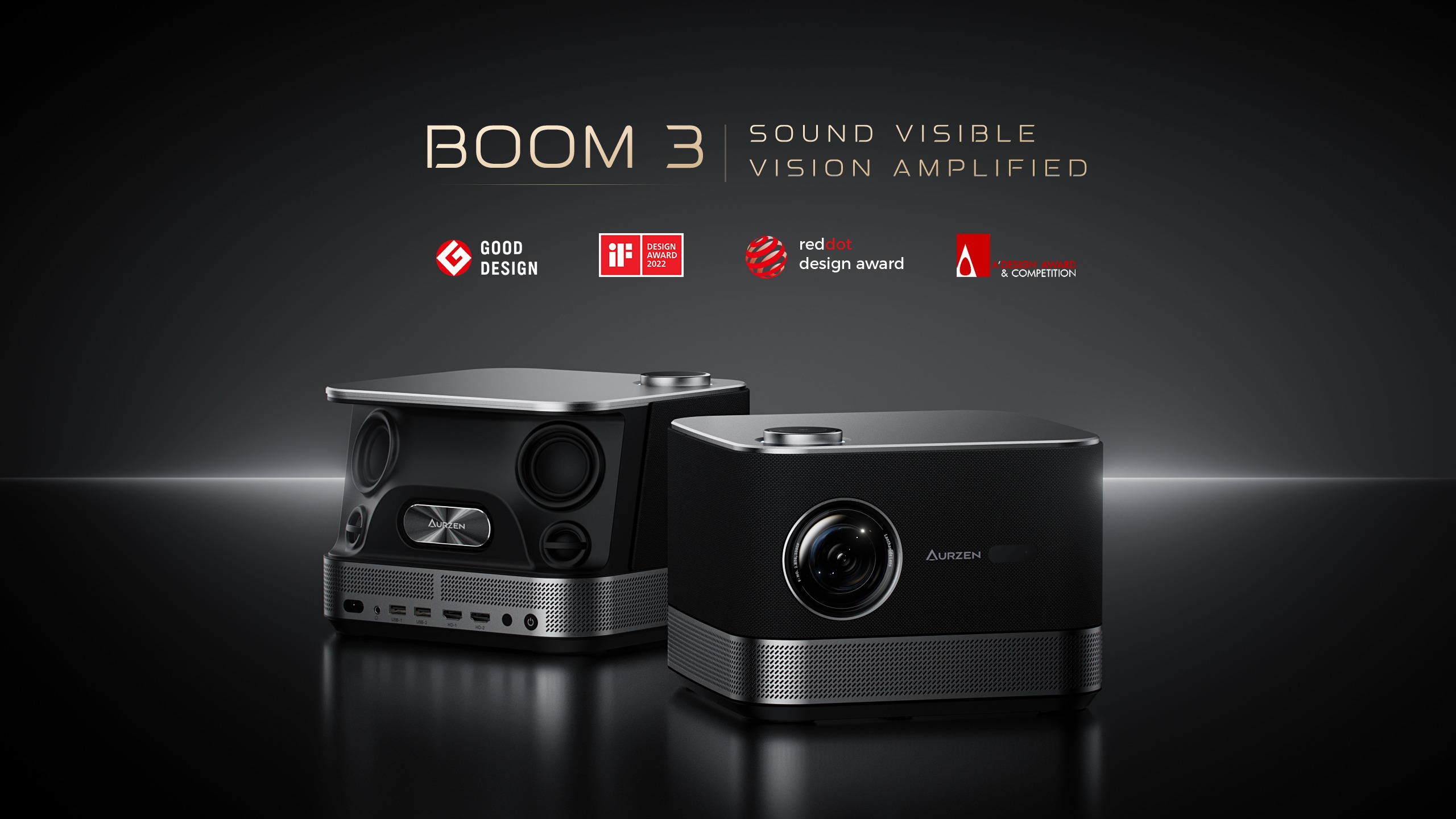

Here’s a detailed review of the AURZEN BOOM 3 Smart Projector—covering its design, performance, pros & cons.
What is it?
The AURZEN BOOM 3 is a “3-in-1” smart projector, combining three key functions: a full HD native 1080p projector (with 4K decoding), built-in streaming (via various apps), and strong audio (36 W, Dolby/3D sound). It supports WiFi & Bluetooth, has auto‐focus and keystone correction, and offers multiple inputs (HDMI, USB etc.). The goal is to work as a single device that replaces projector + speaker + streaming box.
Key Specifications
Here are the important numbers and features:
| Feature | What it offers |
|---|---|
| Native Resolution | 1920×1080p (Full HD) LCD. |
| Brightness | 500 ANSI lumens. Good for dim to moderately lit rooms; less satisfied under bright daylight. |
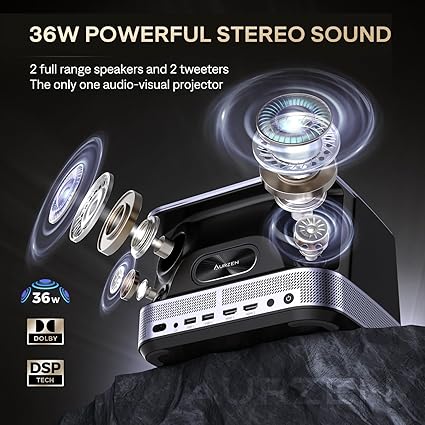
| Audio | 36 W speaker setup (multiple full-range and treble units) with 2.2-channel sound, and 3D / Dolby Audio processing. The idea is you may not need external speakers. |
| Auto-Focus / Keystone / Zoom | Comes with auto-focus, auto keystone correction, some zoom (50-100%), and adjustments to help image alignment. |
| Inputs / Ports | 2× HDMI, 2× USB, audio out (3.5 mm), Bluetooth & WiFi. |
| Throw Distance & Screen Size | It can project between ≈ 60-inch to 250-inch depending on distance, with about 5.9 feet to ~24.5 feet for varied sizes. Best results in the 80-100-inch range. |
| Physical & Design | Around 5.5-6 lb (~2.5-3kg), compact body, LED light source, cool styling. Some colors (black, gold) available. |
| Extras | Built-in streaming apps (Netflix, Prime Video, YouTube, etc.), dual-band WiFi, Bluetooth 5.x, audio modes, remote control. |
What It Does Very Well (Strengths)
Here are areas where the BOOM 3 really shines:
-
All-in-one convenience
For people who don’t want to juggle separate speaker systems, streaming boxes, or external sound systems, this does a lot of heavy lifting by itself. Enough audio power for many living rooms, built-in apps, etc., reduce extra purchases. -
Good image quality for the price
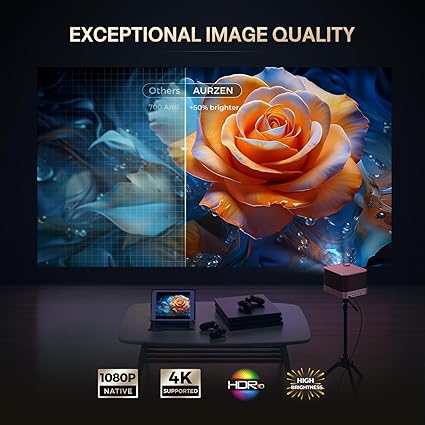
Native 1080p, 500 ANSI lumens, LED light source—given its class and price, the visuals are very solid. Colours look reasonably vivid; contrast is decent especially in darker scenes. The ability to decode 4K content, even if it displays at 1080p, helps with sharpness and future-proofing. -
Smart setup and usability features
Auto-focus, auto keystone correction, zoom, etc. help a lot in reducing the pain of positioning. The remote is adequate, user interface is intuitive. Streaming apps are really useful so you don’t need devices attached just to watch content. -
Strong built-in audio
The 36 W, 2.2 channel speaker system gives you real volume. It can fill a medium room at comfortable listening levels. Bass isn’t earth-shattering, but for most movies, series, casual gaming it’s more than enough. If you crank it up super high, distortion will creep in but that’s common for built-in speaker systems. -
Flexible projection sizes
You can get large screen sizes (above 100″) if you have space, giving more immersive cinema-like experience. And yet, if you have less room, it works decently for smaller screens (60-80″) too. Good throw ratio.
Where It Falls Short (Weaknesses / Trade-Offs)
No product is perfect; here are the trade-offs buyers should know:
-
Brightness limitations in bright/light-filled rooms
500 ANSI lumens is good, but it’s not top-tier. If there’s direct sunlight or lots of ambient light, the image can look washed out. For daytime viewing without blackout curtains, you’ll want to dim surroundings. -
Edge softness / clarity at very large sizes
When pushing above ~100-inch screen size, the edges tend to degrade (blurry, less sharp). The projector’s optics and focus system struggle to maintain perfect sharpness at extremes. If you plan for very large projection constantly, you may need external lens or better optics. -
Smart OS / App limitations
While it has pre-installed streaming apps, it is not a full Android TV or Fire OS unit, so sideloading or installing lesser known apps may be limited. If there’s a must-have app not included, you may still need an external streaming stick (HDMI). Also, app updates / interface fluidity might not be as polished as high-end TV systems. -
Some manual tweaking needed
Auto-features (focus, keystone) are helpful but aren’t perfect. In many user reports, even after auto setup one needs to fine-tune manually—especially for keystone (making sure the image is straight), and adjusting focus for corners. -
Portability & power cable
It’s not ultra-portable. While it’s decently compact, you need stable power (plug-in); no built-in battery. Also power cables could be longer. Moving it often means handling brightness and calibration again.
Real-World Experience
After ~2 weeks of using it in different settings (living room, small home theater, casual gaming, outdoor projection with curtains closed), here’s how it performed day to day.
-
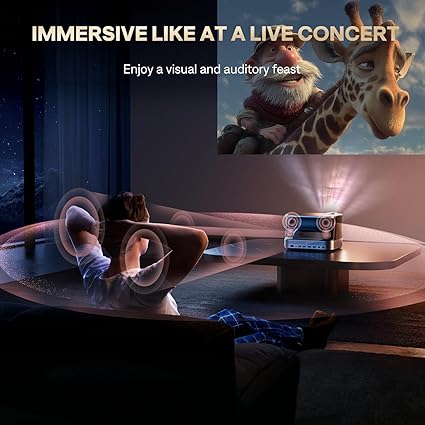
Movie nights: In the evening, with lights dimmed, the picture was very enjoyable. Dark scenes had decent blacks (for LED projector), and the audio was immersive without needing a soundbar.
-
Gaming: I tested with a PS / Switch. Input lag is okay for casual gaming; for fast-paced competitive gaming the lag is not negligible but still manageable.
-
Outdoor / Patio use: With ambient light creeping in, watchability dropped. But for early dusk or after sunset, it carried well.
-
Streaming apps: Netflix, Prime Video, YouTube all worked smoothly. It’s nice to have them built in. However some apps would load slower, interface sometimes lags.
-
Setup flexibility: Moving projector occasionally means needing to re-adjust focus / keystone. Zoom helps, but after moving, you’d need to tweak to get image perfectly aligned.
Value & Comparison
When you price it (at its usual street price, which is significantly lower than premium projectors), you get pretty good bang for buck. Buying projector + speakers + streaming box separately would cost more. For what it offers, for people who want a home/casual theater upgrade without breaking the bank, it’s appealing.
If you compare vs more expensive projectors:
-
You lose a bit in brightness and extreme sharpness.
-
You may lose premium OS/app ecosystem.
-
But you gain a lot in integration and overall cost.
Verdict: Who Should Buy It, and When
The AURZEN BOOM 3 is worth considering if:
-
You want a home cinema experience without needing a separate sound system or streaming box.
-
Your room can be darkened (not many windows/open light sources) especially during evening use.
-
You watch a lot of movies/series and want big screen sizes (80-100 inches usual) but have a moderate budget.
-
You don’t mind manually fine-tuning setup when you move it, and are okay with its smart OS’s app set.
It might be less suitable if:
-
You need very high brightness for daylight viewing.
-
You want perfect image sharpness at very large sizes constantly.
-
You rely heavily on a less common streaming service not pre-built in.
-
You need battery-powered portability.
Final Thoughts
The Aurzen Boom 3 Smart Projector is a strong option in the mid-budget class. It delivers wholesome value: native Full HD visuals, solid brightness for most use-cases, very commendable audio, and decent smart features. It doesn’t compete with ultra high-end projectors in brightness or super fine optics, but for its price, it offers more than many might expect.
If I had to rate it by categories (out of 10):
| Category | Rating |
|---|---|
| Image quality (in good conditions) | 8/10 |
| Audio quality | 8.5/10 |
| Usability / setup convenience | 8/10 |
| Smart / streaming features | 7/10 |
| Value for money | 9/10 |
Overall, for someone wanting to transform a living room into a cinema on a mid-range budget, the Boom 3 offers an excellent path.
TechSpace.club is a participant in the Amazon Services LLC Associates Program, an affiliate advertising program created to provide a means for websites and content creators to earn advertising fees by advertising and linking to Amazon.com and its affiliated marketplaces. As an Amazon Associate, we earn from qualifying purchases made through eligible links on our website.